PayMaster Open a working payroll

Approve the month knowing every rupee is right.

PayMaster runs your school's payroll end to end — attendance, EPF, ESI, TDS, bank files and payslips — and records who changed what. Nothing reaches your signature unchecked.

Opens a real payroll for a sample school. No sign-up, no card, nothing to install.

S. Meenakshi · PGT, Physics July 2026
Gross earnings52,000
EPF (12%)− 1,800
ESI− 0
TDS− 1,950
Net pay₹48,250

In use today

“The app is simple and works efficiently in addressing our payroll needs. We are able to view advances and timelines for their receipt in one go. Bank filings and statutory filings are also simple and easier. Would recommend.”

PriyadharshiniCorrespondent, Alagar Public School, Thoothukudi

PayMaster has been running live monthly payroll for Alagar Public School since 2026 — every salary, every statutory deduction, every approval.

The monthly cycle

Six steps, and the month is closed.

Payroll is the same sequence every month. PayMaster follows it in order, and each step hands the next one everything it needs.

01

Enter attendance

Days present per employee, or leave it at full month. Absences pro-rate the salary automatically.

02

Run the payroll

Gross, EPF, ESI, TDS and advance recovery computed for every employee, at the rates in force that month.

03

Approve it

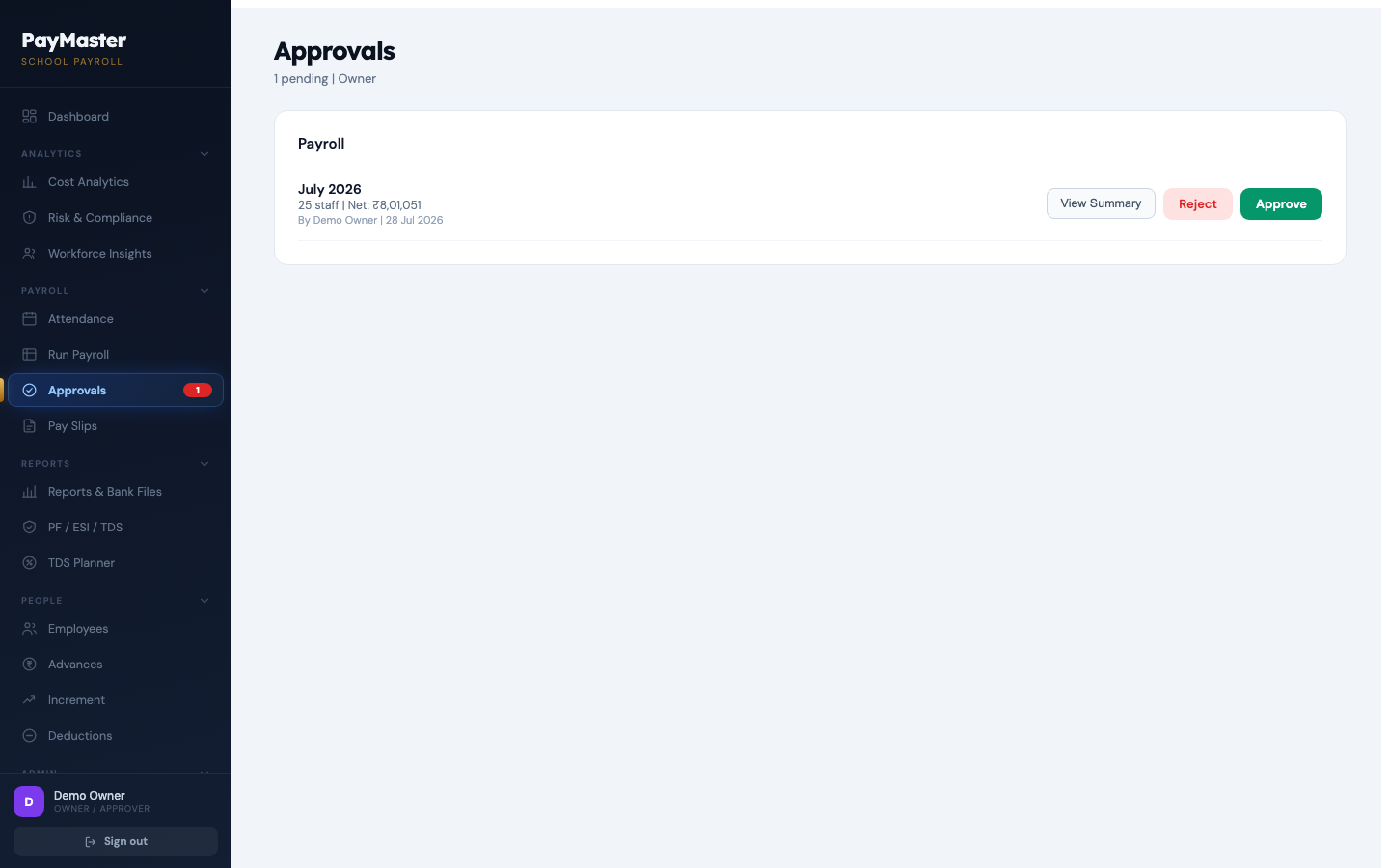
The month goes to the approver. Until it's approved nothing is final; once approved it's locked.

04

Pay the staff

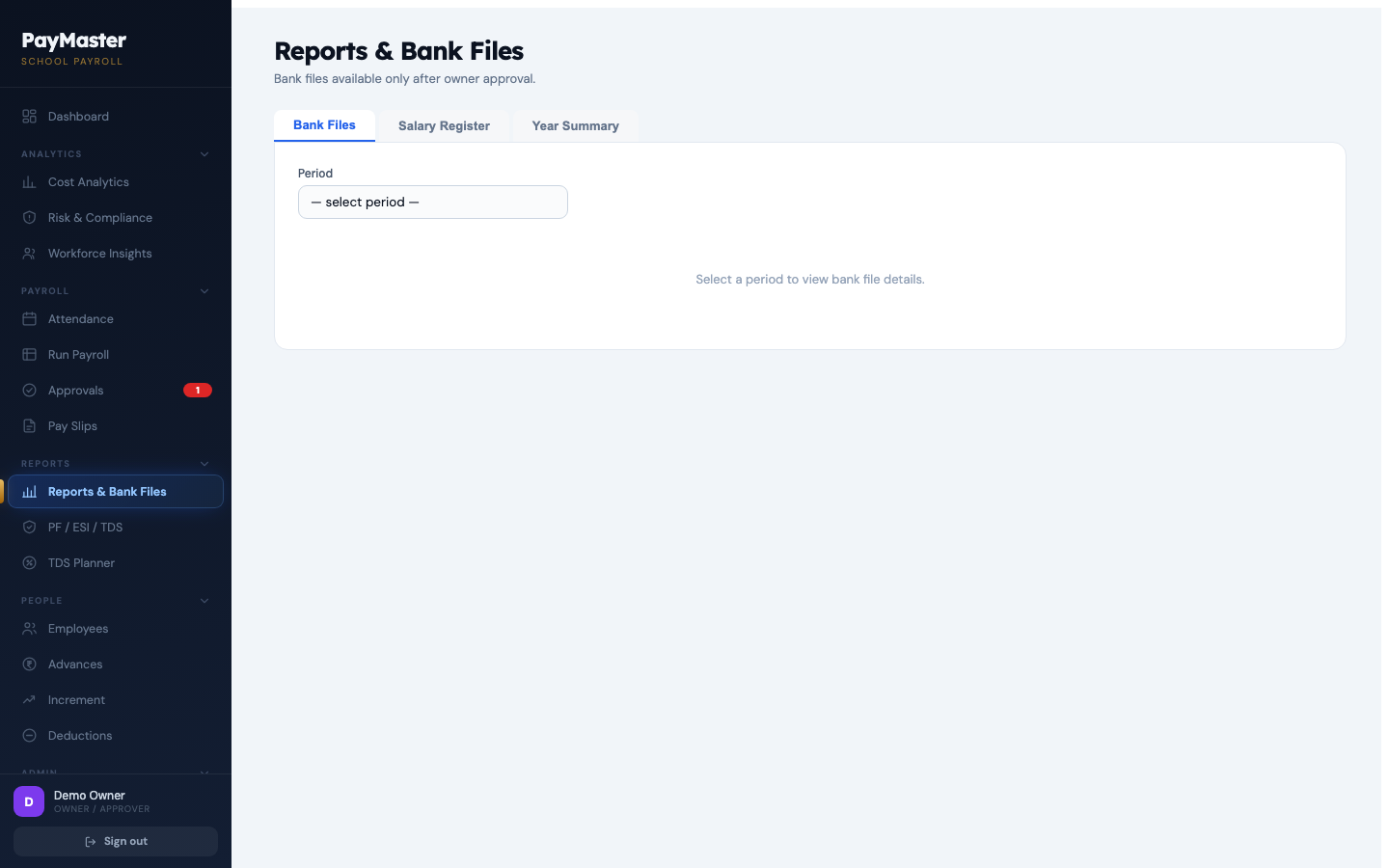
A bank transfer file per bank, split the way your bank expects, plus cash and cheque listed separately.

05

File the returns

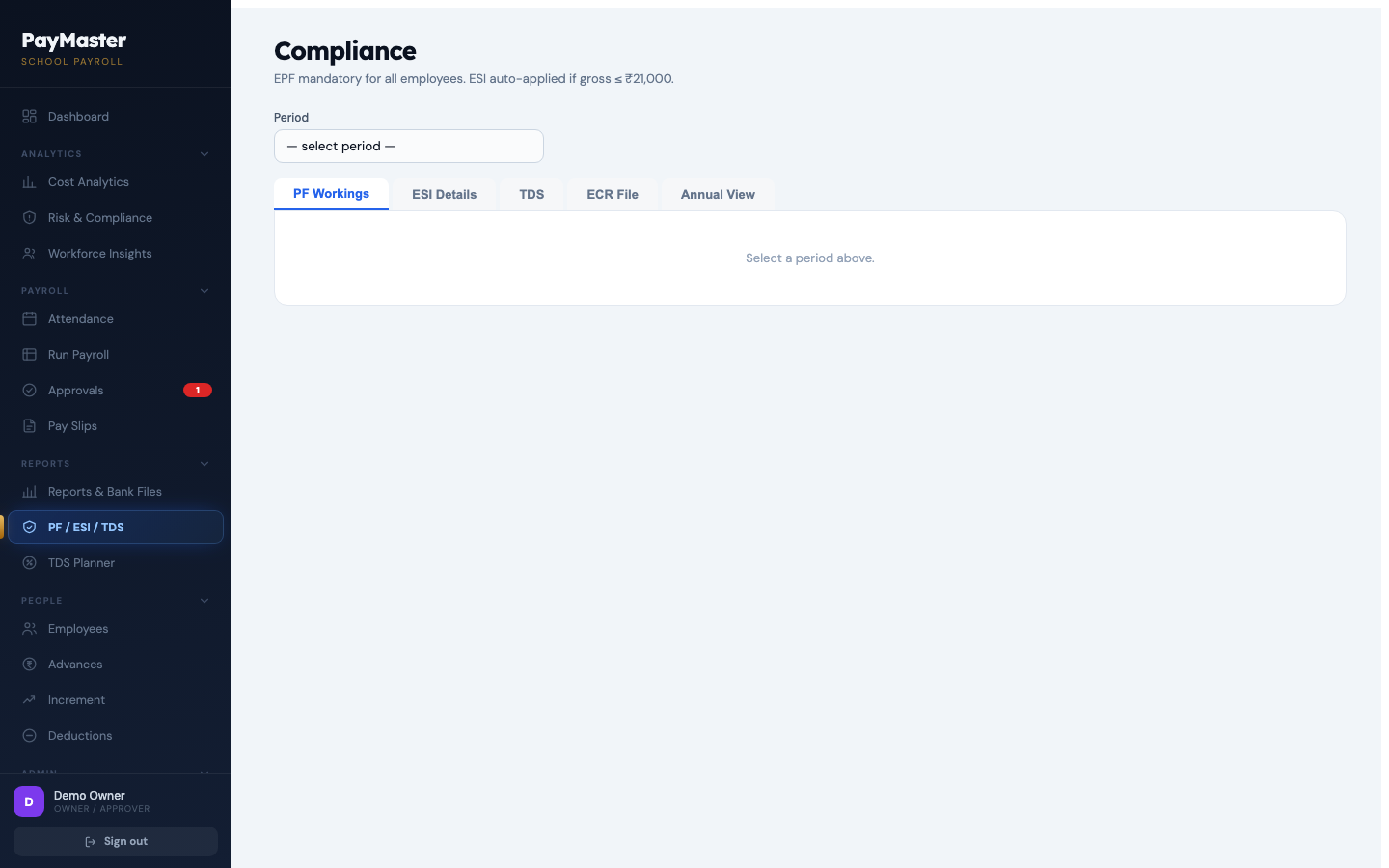
EPF ECR and ESI figures for the month, ready to upload — computed from the payroll you already approved.

06

Plan the tax

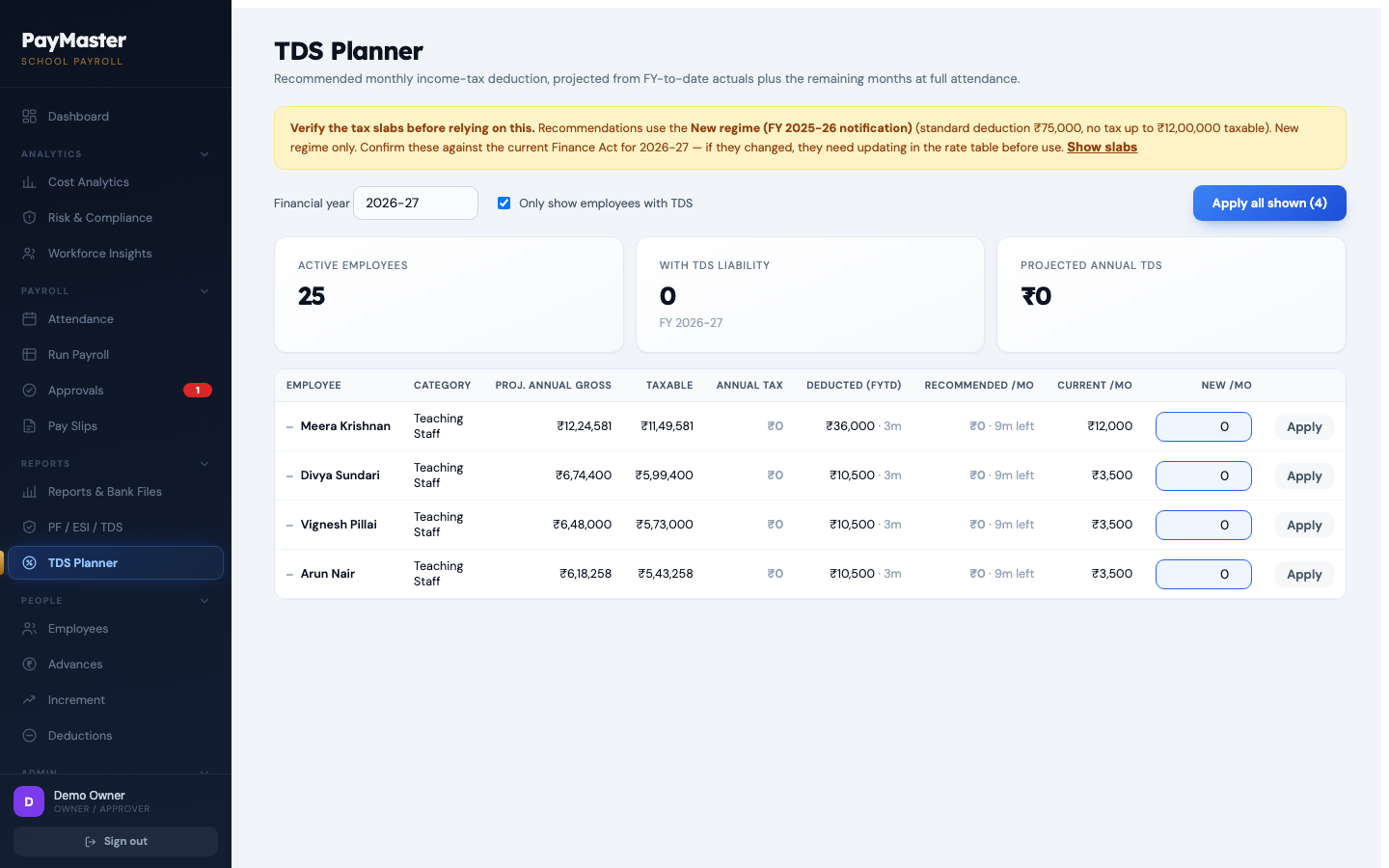
Projected annual income tax per employee for the year ahead, so TDS is spread evenly instead of landing in March.
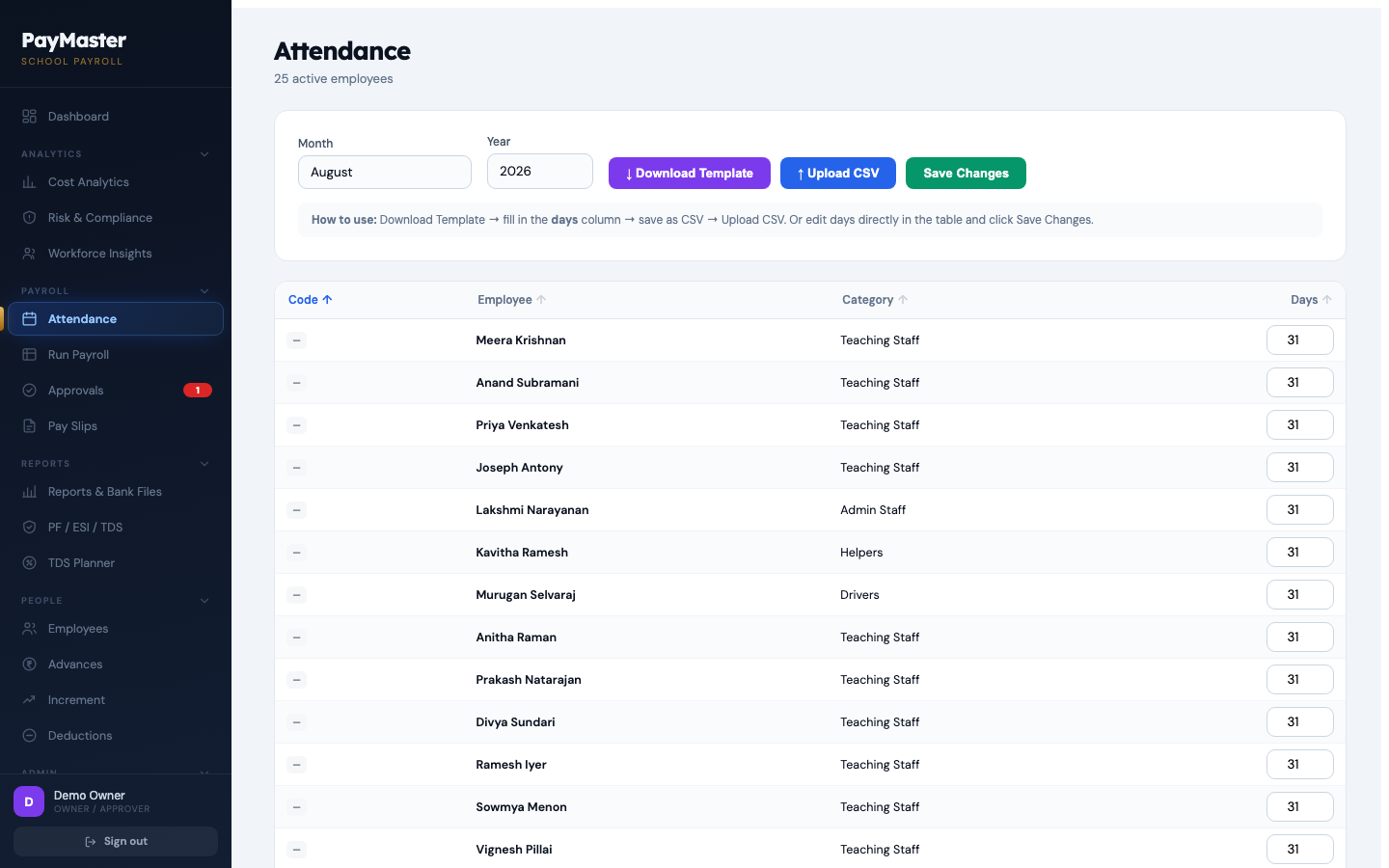
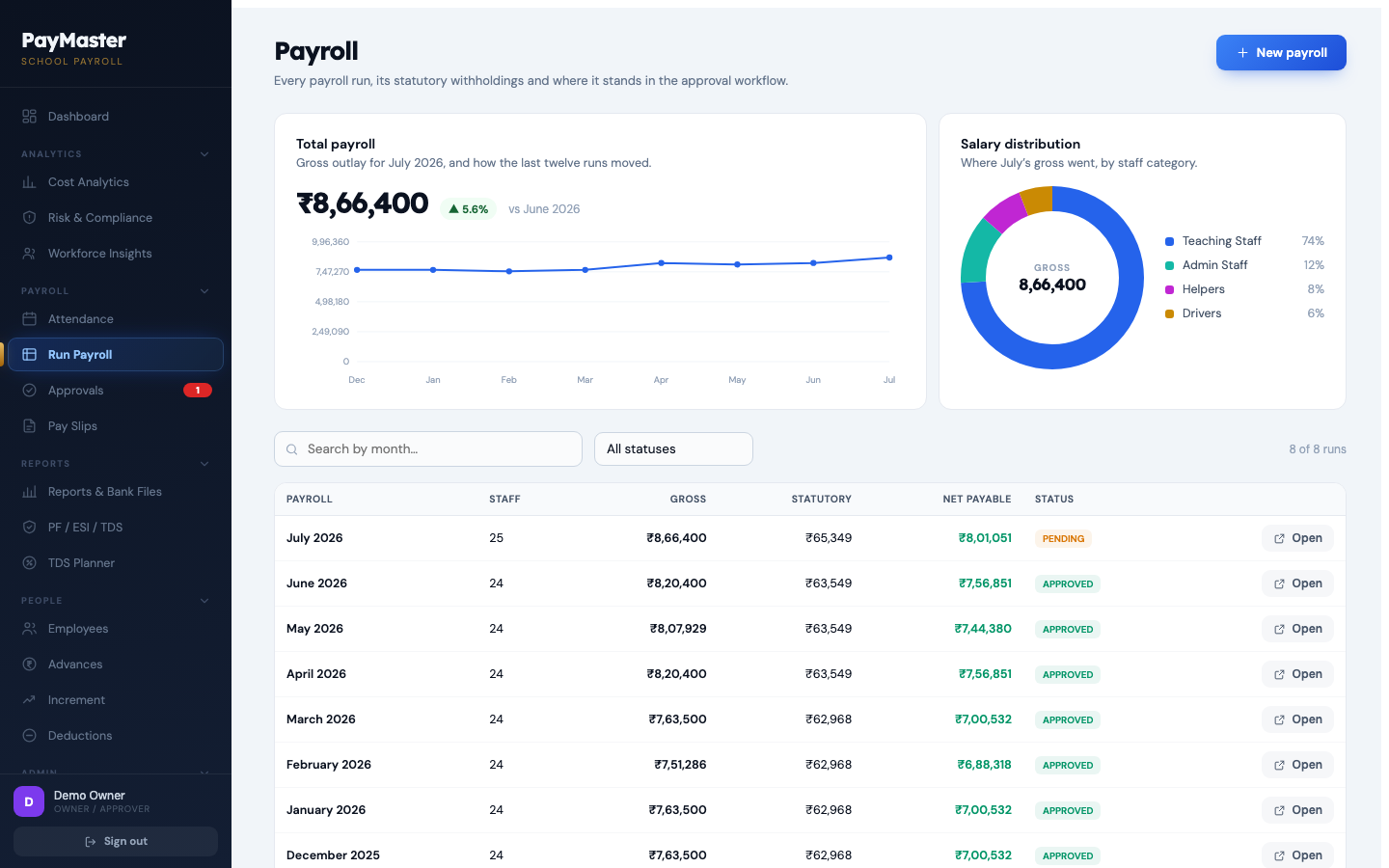
Attendance screen — days present for each employee Payroll register — every run, its statutory withholdings and approval status Approvals — a payroll awaiting the owner's approval Reports and bank transfer files PF, ESI and TDS compliance figures for the month TDS planner — recommended monthly income tax per employee

Staff advances

Every advance, and when it comes back.

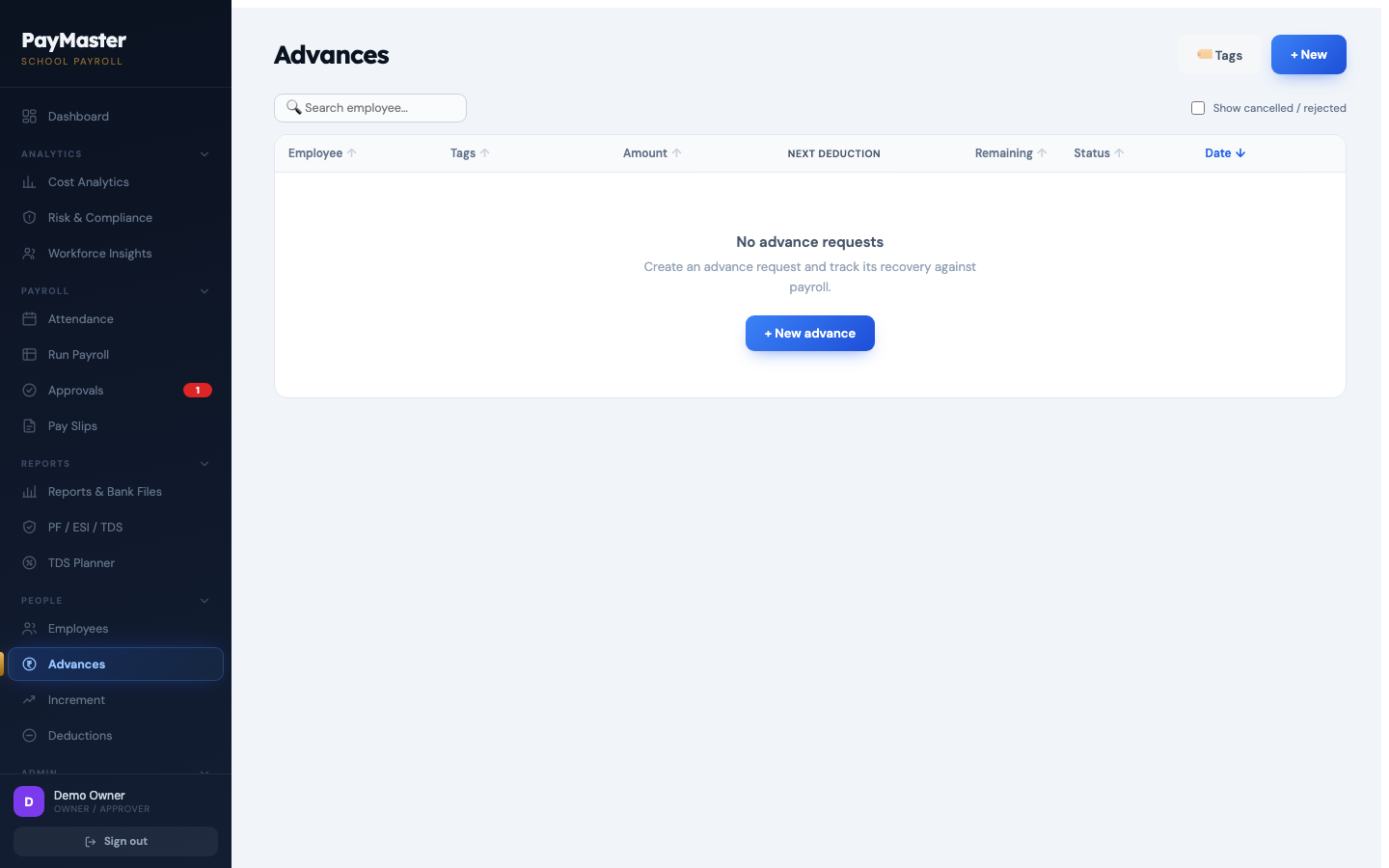
Schools lend to their staff. Most payroll software has nowhere to record it, so it lives in a diary and gets forgotten. PayMaster tracks the advance, the instalments and the balance — and recovers it from salary automatically.

  • Outstanding balance and remaining instalments for every employee, on one screen.
  • Recovery deducted at payroll time, and the amount is fixed at that moment — a later change can't quietly rewrite an approved month.
  • Pause a recovery for a month, with the request going through the same approval as everything else.
Advances screen — outstanding balances and recovery schedules

Statutory

EPF, ESI and TDS, without the dread.

The part that carries real liability. PayMaster computes it from the payroll you approved, so the return and the salary register can't disagree.

  • EPF ECR file ready to upload, and ESI figures for the contribution period.
  • ESI eligibility follows the contribution-period rule — crossing the wage ceiling mid-period keeps cover until the period ends, as it should.
  • Rates are stored by date. When a rate changes, last year's payroll still recomputes at last year's rate.
PF, ESI and TDS figures for the month

Control

Two signatures, and a record of everything.

Built for schools where the person running payroll and the person answerable for it aren't the same person.

Nothing is final until it's approved

A payroll, a salary change or an advance is a request until the approver acts on it. Rejected items come back with the reason attached.

Approved months lock

Once a month is approved it can't be edited or regenerated. What you signed off is what stays on record.

Nothing is deleted

Every change is written to a log with who made it and when — including the ones that were rejected. There is no delete.

Beyond the month

What your payroll actually costs.

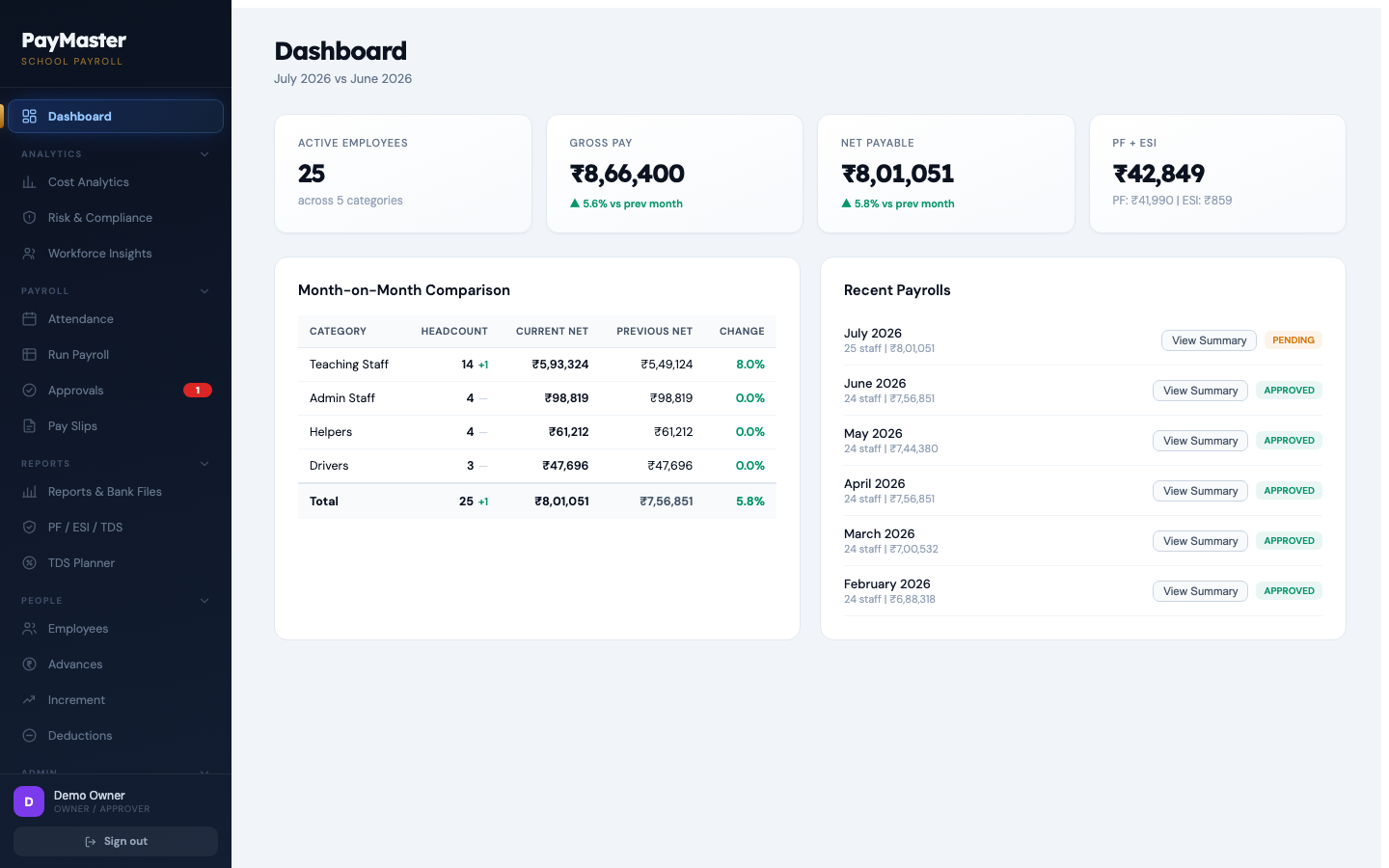
Gross salary understates it. PayMaster shows the employer's own statutory share on top, what moved the run-rate this financial year, and where the money goes by staff category.

  • True cost of employment — net pay, withholdings and the employer's share, separated.
  • Compliance flags — missing UAN, invalid bank details, staff approaching gratuity eligibility.
Dashboard — monthly payroll, net payable and statutory totals

Compared with

How schools do this today.

Most schools we speak to are doing one of these three things.

 A spreadsheetGeneric payroll softwareYour accountant does itPayMaster
EPF, ESI, TDSFormulas someone wrote onceYesYesYes, at the rates in force that month
Staff advances and recoveryA separate diaryRarelyOff the booksTracked and recovered automatically
Two-tier approvalNoSometimesNoBuilt in, with a locked audit trail
Teaching / non-teaching structureManual columnsCorporate gradesYour own staff categories
If a rate changes mid-yearOld months silently rewriteVariesDepends who's askingOld months keep old rates
Who has the dataOne laptopThe vendorThe accountantYou, isolated per school

Questions

The things schools ask first.

We're on Excel. How hard is moving?

You send us your current salary register and we set the school up for you — staff, salary structure, categories, bank details. You review it before the first payroll runs. Most of the work is ours, not yours.

How long before we can run our first payroll?

Once we have your staff list, usually the same week. The tool computes the first month as a preview so you can compare it against your last manual run, line by line, before anything is committed.

Does it work with our bank?

Yes. Bank names are free text and the transfer file is grouped by whichever banks your staff actually use, so the file for your own bank is separate from the rest. Cash and cheque payments are listed separately again.

Do we have to change our salary structure?

No. Your categories — teaching, non-teaching, drivers, whatever you use — are yours to define, and the salary structure follows what you already pay.

Who is behind this, and how many schools use it?

PayMaster is small and deliberately so. It runs live payroll for Alagar Public School in Thoothukudi, and we're onboarding a small number of schools this year — each one set up personally rather than left to figure it out. If you'd rather wait until we're bigger, that's a fair call; if you'd rather have the person who built it answer the phone, now is the good time.

Where does our data live?

In a managed Postgres database, with each school's rows isolated from every other school's at the database level rather than by application code. Your staff and salary data are never visible to another school.

Get a quote

Tell us about your school.

We'll come back with pricing and a setup plan. Or skip the conversation entirely and open a working payroll right now.